
Custom fields with repeatable sections and multi-value options
Creating forms with repeatable sections
Repeatable sections are panels that can be added to or removed from a form dynamically.
For example, while applying for a job, the job seeker provides previous employment details such as company name, role, project, and other information. Information of all the employers requires different but similar looking sections. In such a scenario, the employment form provides an employer section and also provides an option to dynamically add more such sections. These sections, which are added dynamically, are known as Repeatable sections.
You can use one of the following methods to create repeatable panels:
Use an existing Child Workflows
- Create a new Workflow (Standard or Macro Workflow)
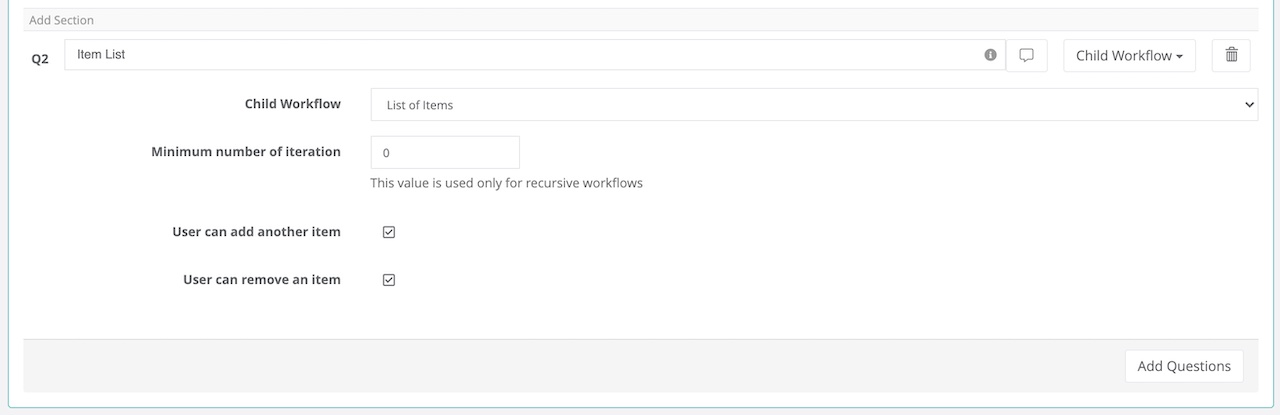
- In the section where you want to add the Repeatable Sections add a "Child Workflow" Answer Type.
- Select the Child Workflow that you created
-
The Minimum field specifies the minimum the number times a panel appears on the form. If you set The Minimum Count filed to zero the system will show only one row.
If you select "User can add another item" you are giving the option to the user to add more rows.
If you select "User can remove items" you are giving the option to the user to delete rows.
How to create a new Child Workflow Article
Using the accordion layout for the panel
| NOTE: The panel has a standard configuration with one layout. If you need a different layout please contact Virtus Flow customer support team. |
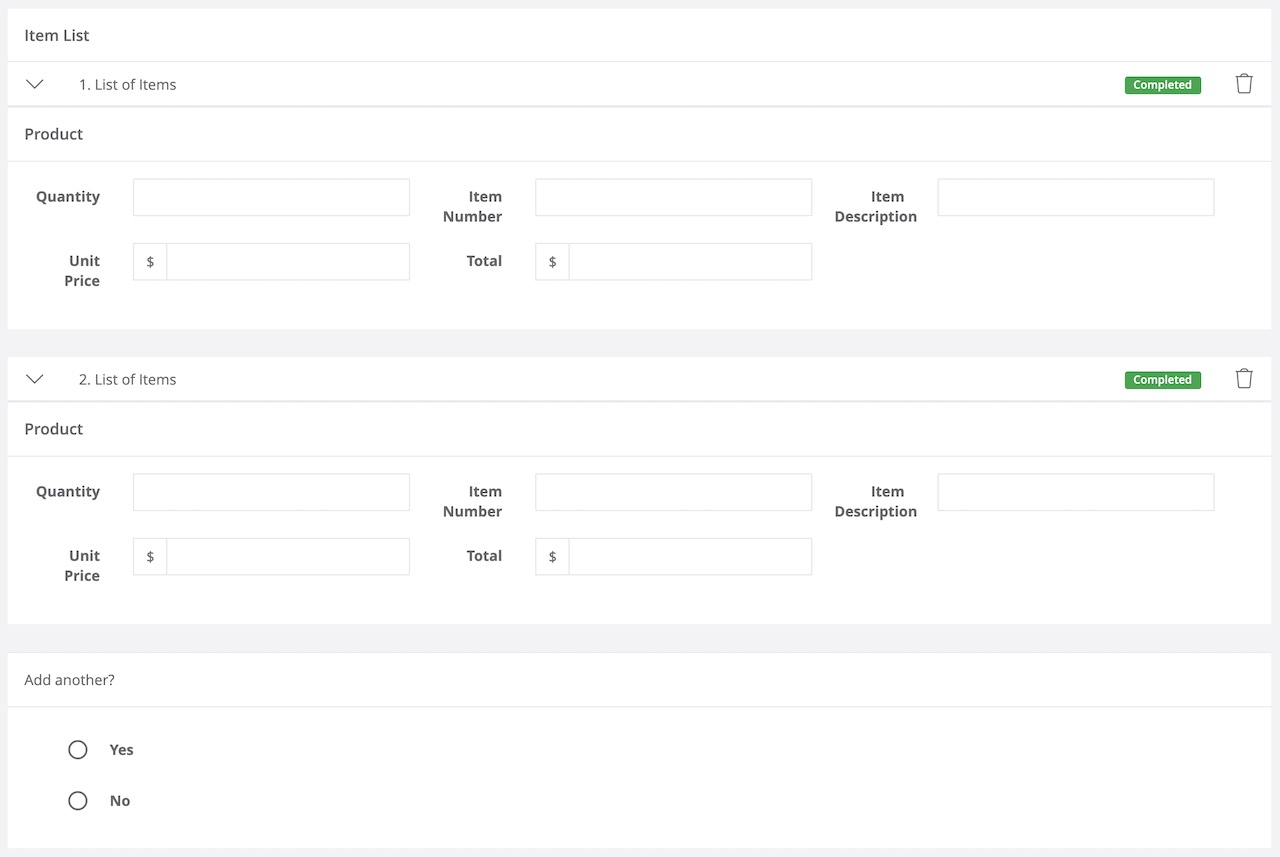
Status Management: Two automatic statuses apply to each section: To Do and Completed.
To Do - when the section is still in an editable mode
Completed - when we filled out the section or we moved to the next one
User interface - Form publication
Once linked the Child Workflow with a Dynamic Form you will find a section with the fields created and a question: "Add another?" - This system allows everyone to create an unlimited number of entries adding one row after another one.
Comments
0 comments
Article is closed for comments.