
How to create and manage Child Workflows
DEFINITION: A Child Workflow can be considered as a "workflow engine", or a standard step of a workflow that you can use in multiple processes.
Many times we include the same questions, fields and dataset in our Forms and Workflows.
Instead of creating a new field or form each time, we can use a Child Workflow.
How to Create a Child Workflow
The creation of a Child Workflow is very similar to a standard one.
The only difference is:
1. A child workflow is always a "Workflow Over" and it always requires a set of fields created with a Data Object
2. You cannot have a "Macro" and a "Child Workflow". You need to create two separate workflows.
1. Create a New Workflow
2. Select Workflow Over
3. Connect with the Data Object Typology that you previously generated
4. Click Advanced Options
5. Check Child Workflow
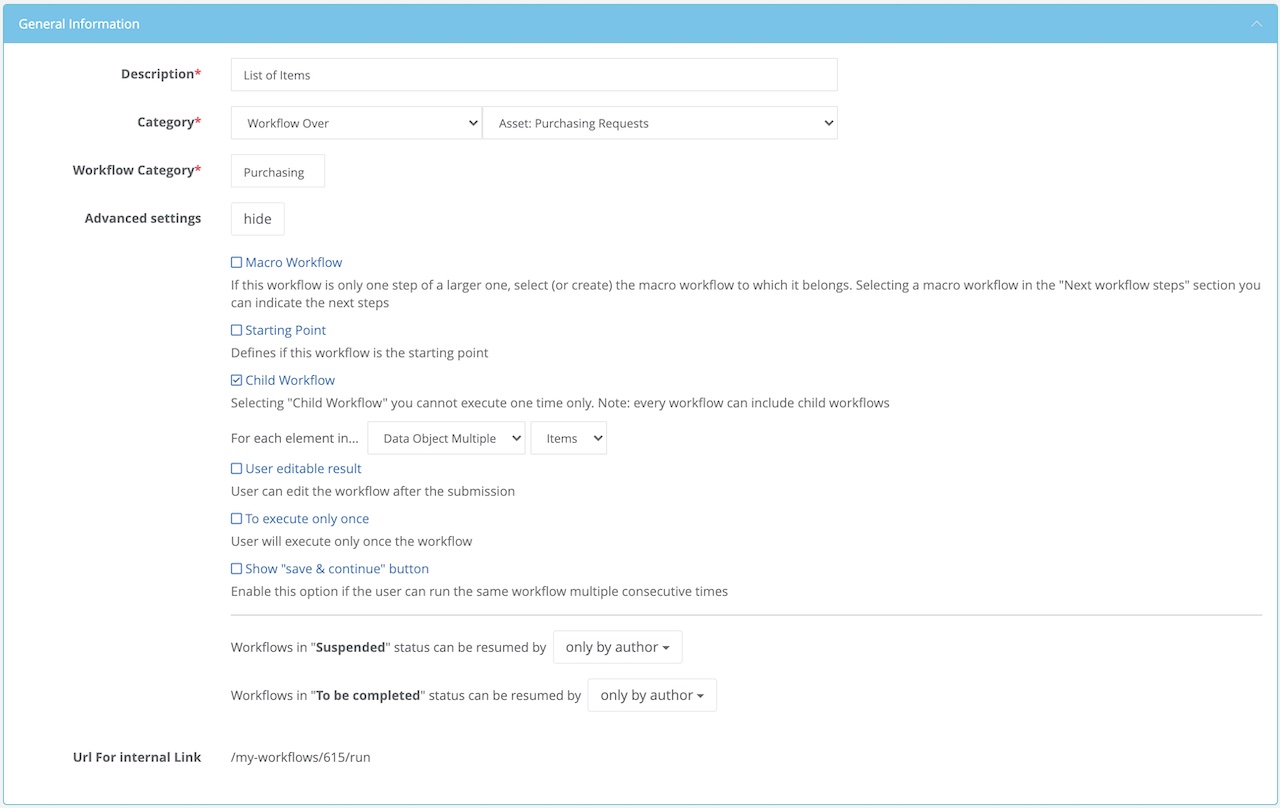
6. Add a new section or question
7. Import the fields that you need from a Data Object
8. Save the Workflow
How to use a Child Workflow
You can include a Child Workflow as a section of your Form simply adding a new "Answer Type" Child Workflow and selecting the relative child-workflow that you previously created.
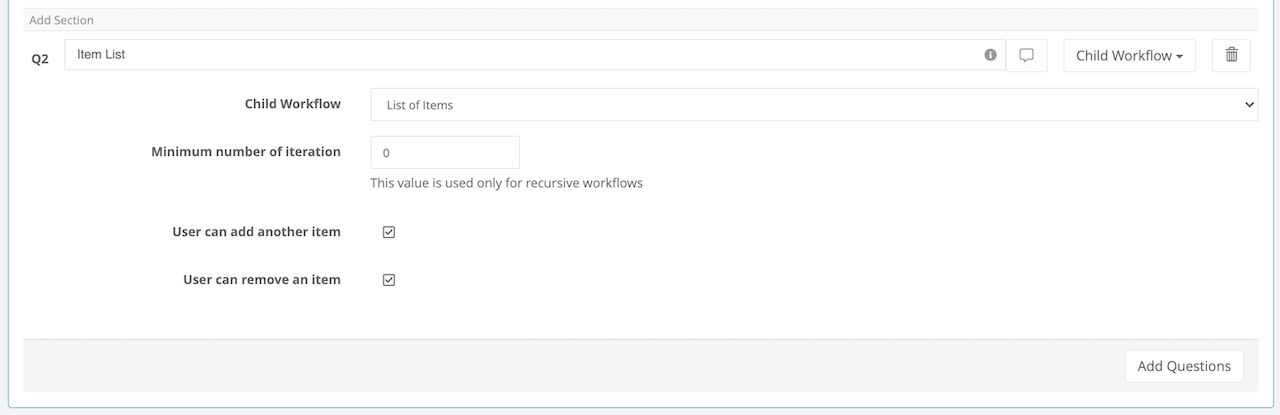
The Minimum field specifies the minimum number of times a panel appears on the form. If you set The Minimum Count field to 0, the system will show only one row.
If you select "User can add another item" you are giving the option to the user to add more rows.
| NOTE: If you want to create Repeatable Sections as part of your Web Form please refer to this KB |
Comments
0 comments
Article is closed for comments.