
How to create a distribution list for Forms and Workflows
You can completely customize the distribution of Forms and Processes with SECTION 8 (if a standard workflow) or SECTION 9 (If a Macro Workflow).
In this section, you have multiple options to determine who can view or write, separate by role or by specific user, and if you want to schedule reminders you can create a TODO.
To view a step-by-step of this process, please view the following video:
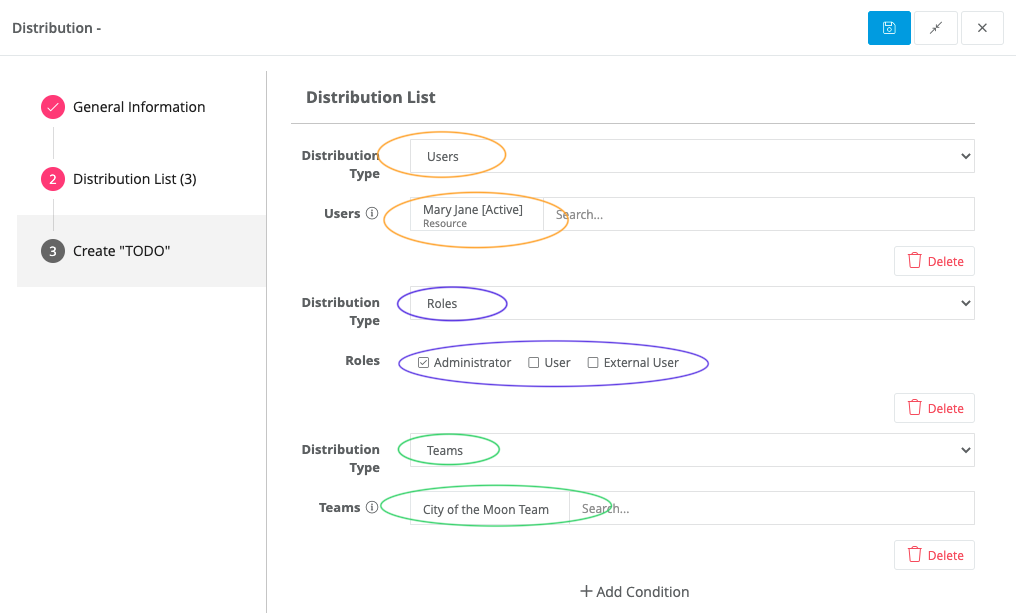
Users- Allows you to choose specific users by using the search
Roles - Allows you to determine the user's category (all need to be Virtus Flow's licensed users with the exception of if it is publishing as a public page, or be identified as External Users)
Teams- Allow you to distribute to an entire team instead of just individuals
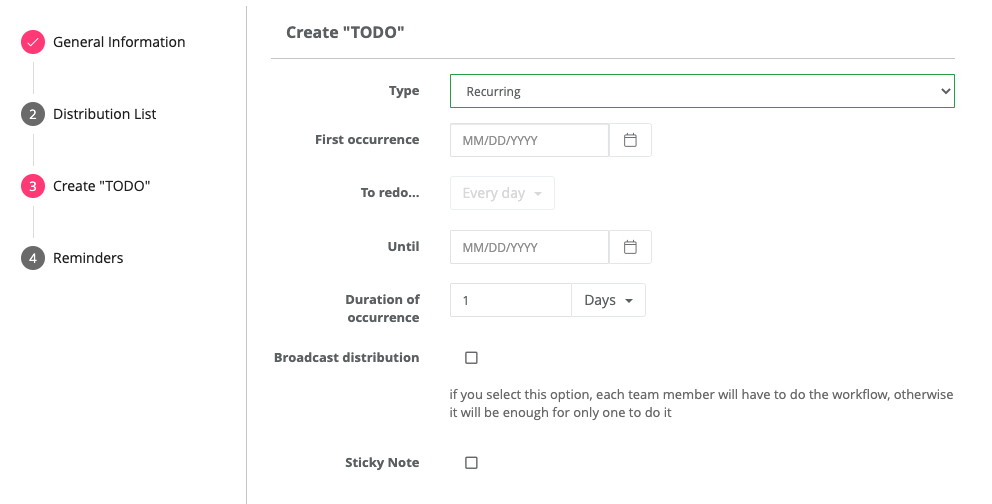
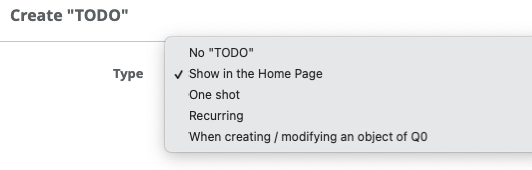
Create TODO- Allows you to schedule reminders for recurring processes. You can also have workflows pinned in the Home Page.
Verifiers - Allow you to determine who can see the overall progress. These users are, in general, managers and supervisors. These users are not entitled to execute processes, only to track the status.

To further customize your Form, visit the following:
Create Forms with Repeatable Sections
Comments
0 comments
Article is closed for comments.