
Connect Virtus Flow with your INBOX
You can quickly connect your email system with 3 different options:
1. IMAP
2. Office 365 API
3. Plugin
IMAP
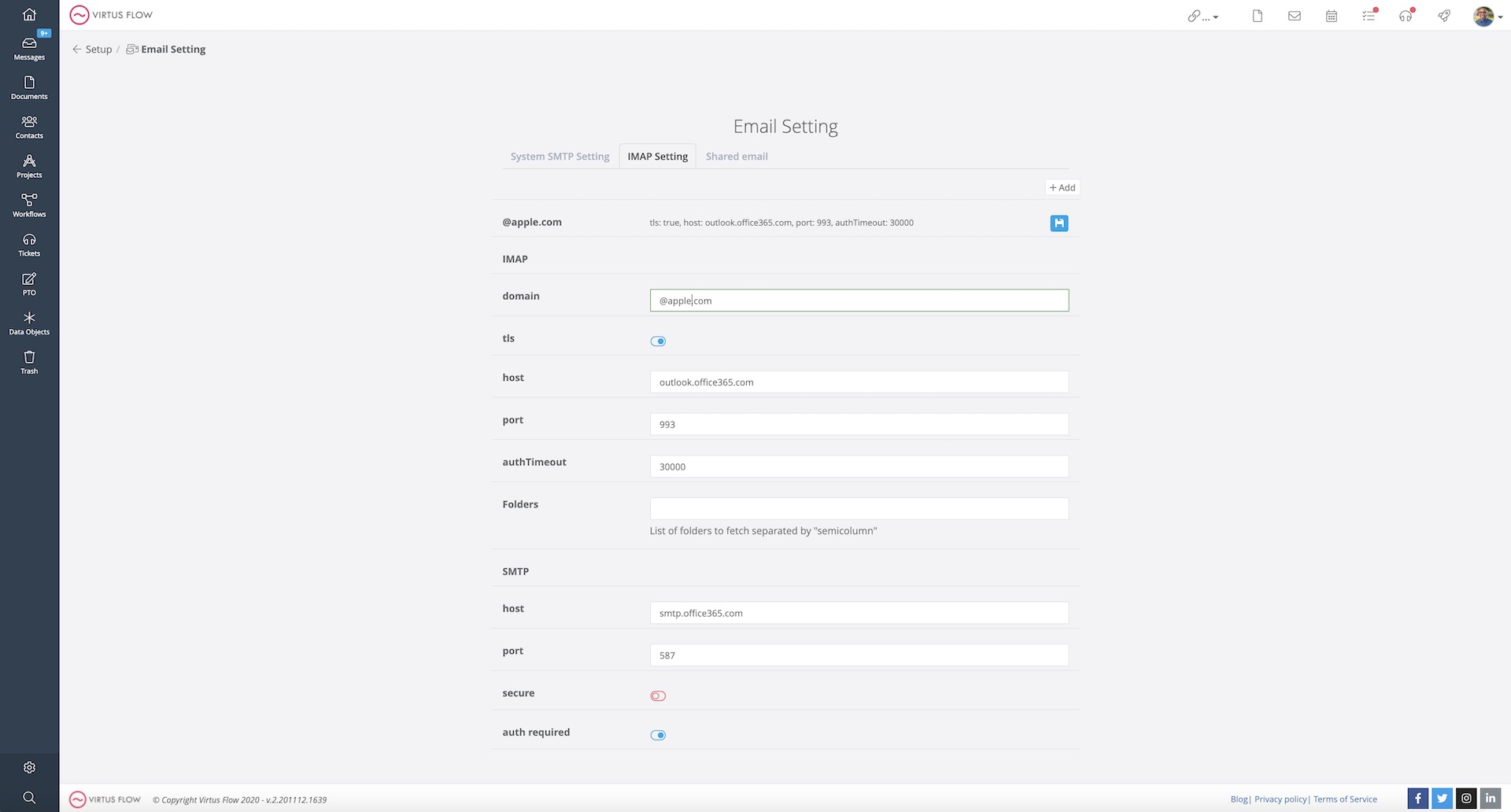
From Setup click to Email Settings and fill out the form with all the information required.
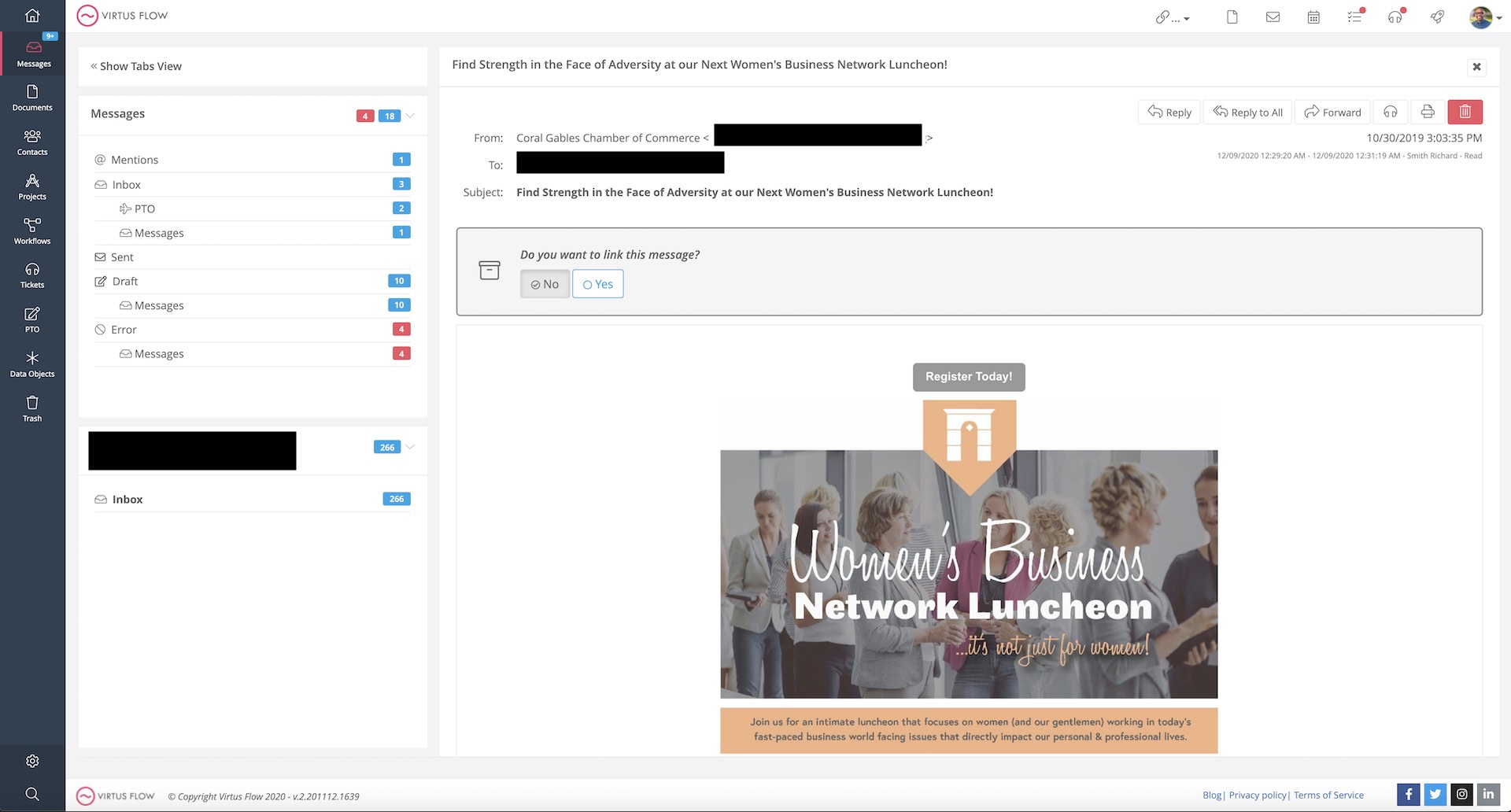
And that's it! Your inbox is now in sync. You can now go to messages and see your INBOX.
If you have additional folders it will take a few minutes to synchronize.
The following example is for an Office365 account
Example of INBOX synced with an Office 365 Account
Office 365 API
Plugin
Ask your Administrator to add Virtus Flow Plugin to your Marketplace Apps for Gmail or Office 365.
By doing so, as a user, you will be able to install your Virtus Flow Plugin. Once activated, follow these steps to ensure you are authorized:
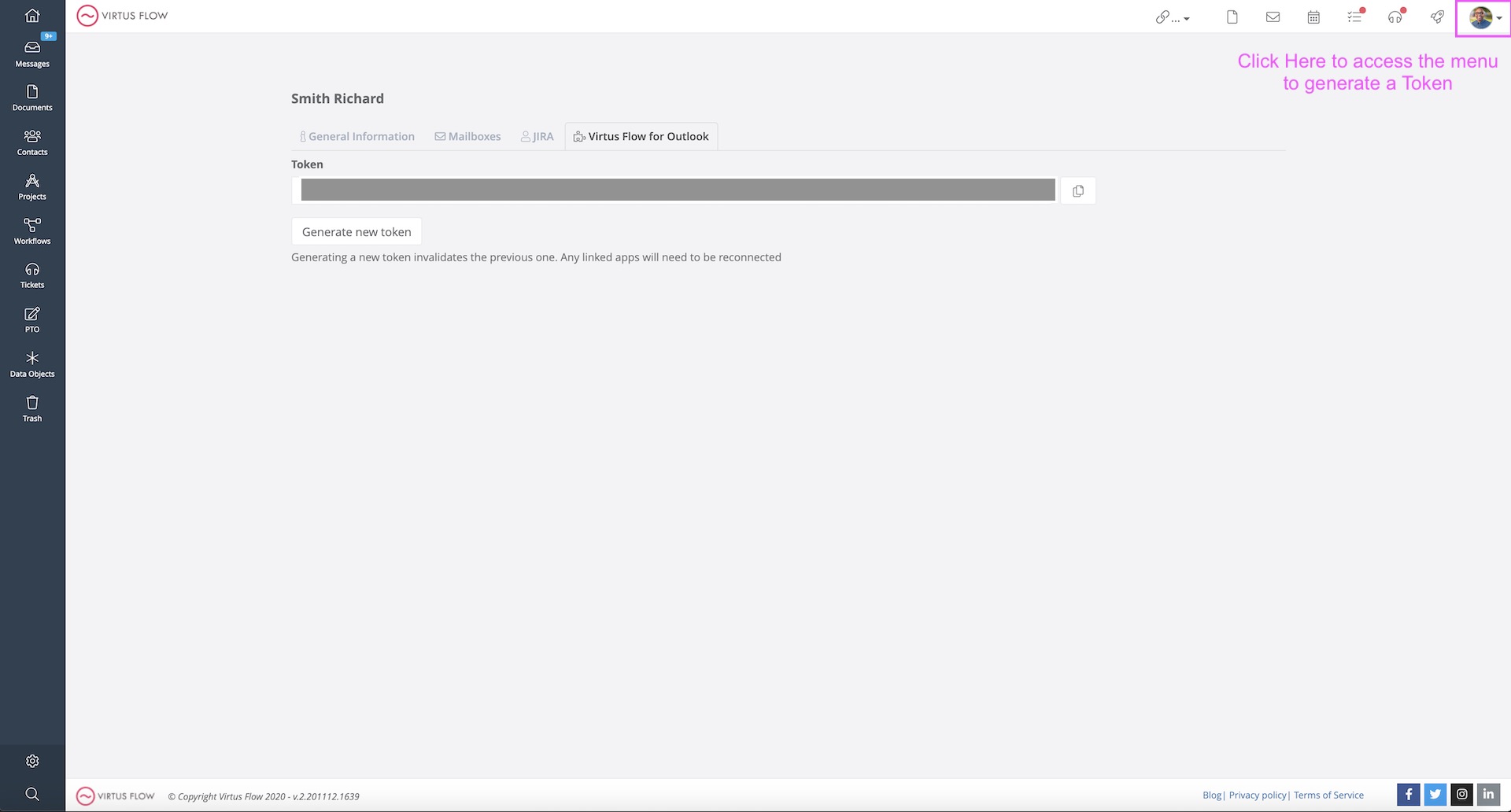
1. Generate a Token with Virtus Flow
2. Connect to your Office 365 or Gmail account from the Plugin
3. Insert the Token previously created
4. You're set!
Comments
0 comments
Article is closed for comments.