
Where do I need to start?
Before working on any workflow, project, email, ticket, or document, the first step is to customize Virtus Flow tables to get comfortable with the platform's structure.
From the bottom of the left menu, click the gear icon to access the Setup.
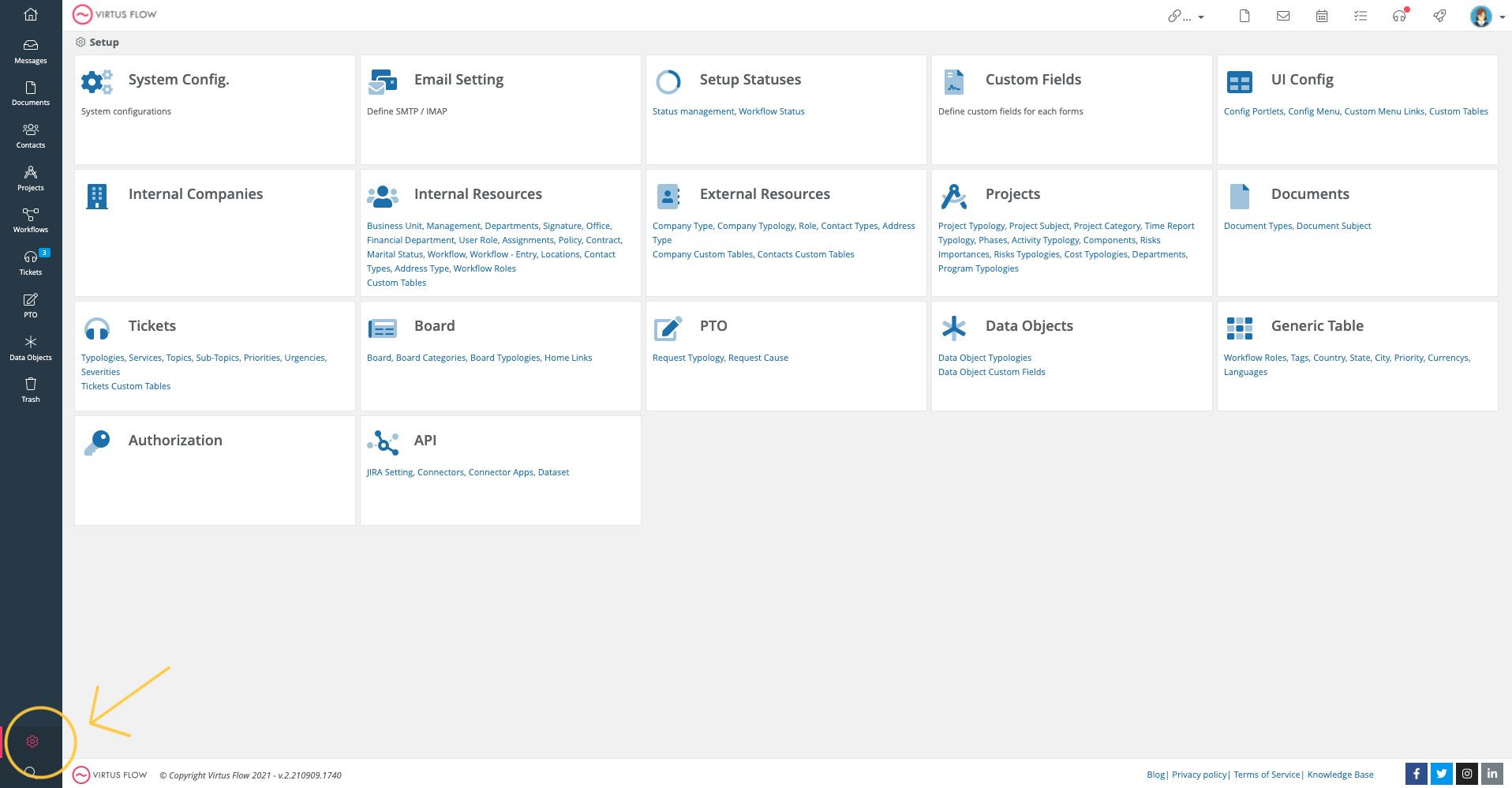
We suggest you follow the following sequence (but you can skip the tables that are not necessary for your configuration). Keep in mind, we pre-set many of these options for you before giving you access; feel free to delete all the examples that are not relevant.
Suggested order:
1. System Configuration
2. Email Settings
3. Internal Companies
4.Internal Resources
5. External Resources
6. Projects
7. Documents
8. Tickets
Please watch the following video to learn more:
Comments
0 comments
Article is closed for comments.