
Virtus Flow is a powerful tool to simplify your Documents and Contracts.
Instead of using hardcopies, or copying and pasting information from digital documents into a database, you can leverage Virtus Flow as a full Document Automation platform.
Advantages
Using Virtus Flow Document generator you can eliminate all repetitive tasks of transcribing and copying data from Contracts and Files.
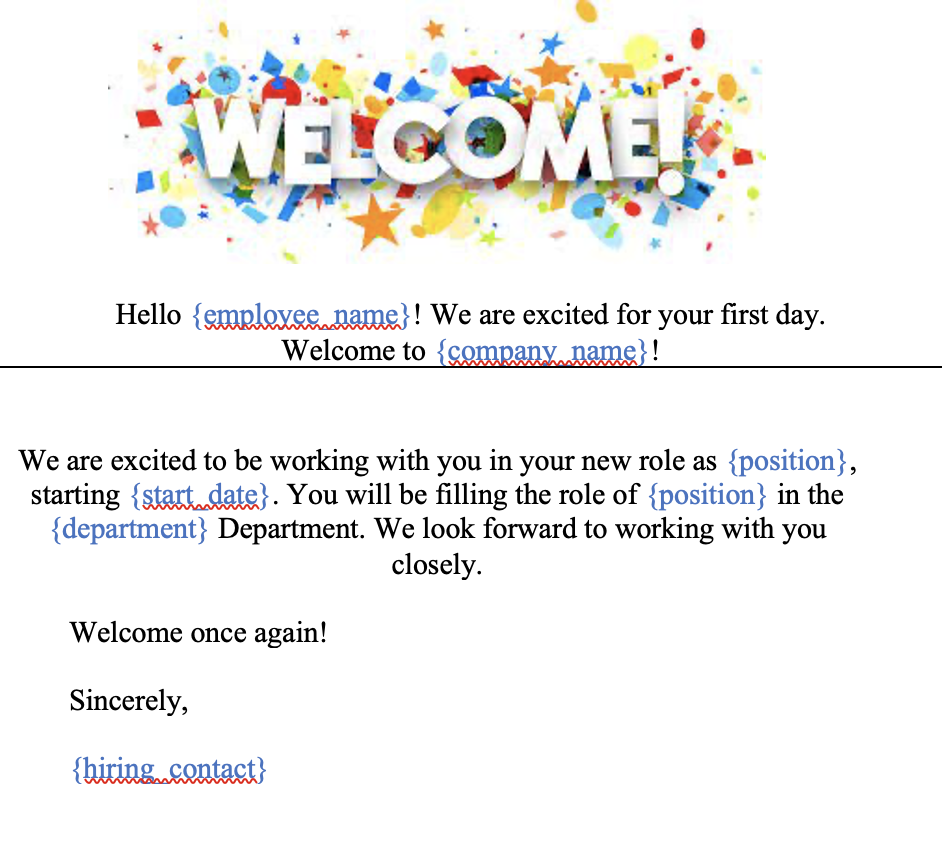
To start, open a Word file of your choice (.docx) and for every section that you want Virtus Flow to automatically generate content, add a placeholder. To add a placeholder simply add {placeholder_name} changing "placeholder name" with a label that can be associated with the relative content. Virtus Flow uses the content of the brackets as the designatory field of our content.
Example: {field1}.
| NOTE: Do not use special characters, accents, or spaces in the placeholder definition. If you do so, when uploading the document in Virtus Flow you'll see an error parsing message. |
The fields are automatically identified once the document has been uploaded to Virtus Flow as shown below.
| NOTE: Character color and font need to be the same in order for it to work correctly. Also, spaces are not recognized. |
How to use it
In your workflow, you will create a question with the the type "DOCX". There will be a box to drag and drop your file into. Once you upload your DOCX file the system recognize all the placeholders and you will map the fields with the content of your form.
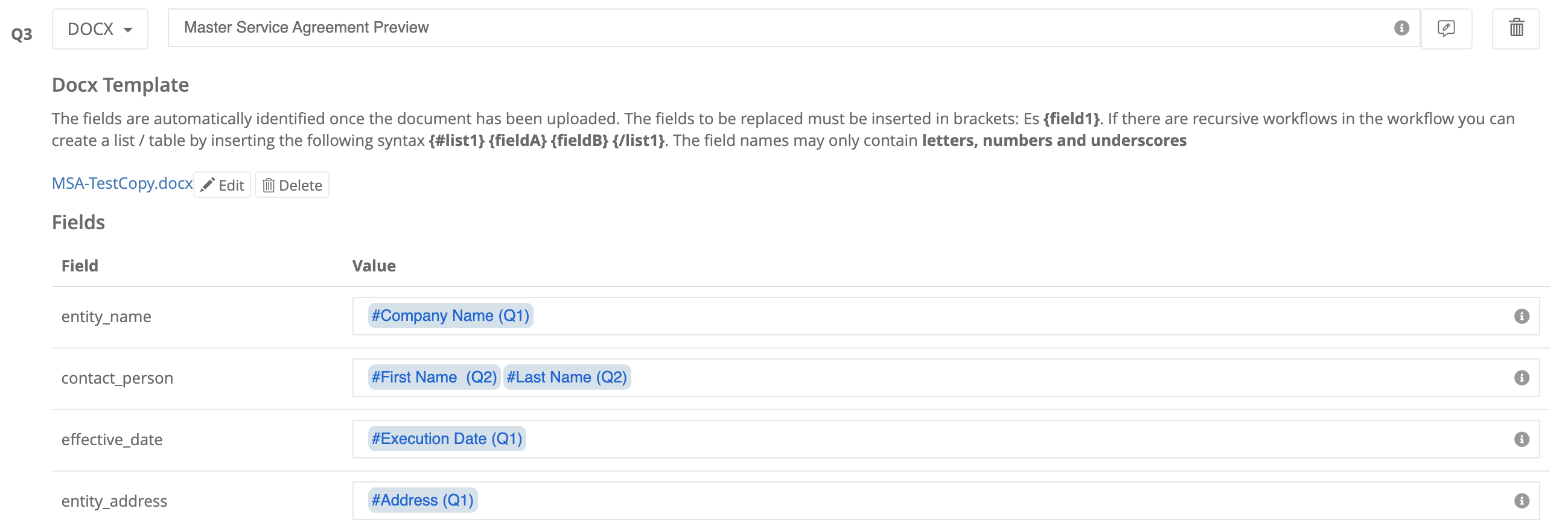
Using the # function you can recall fields that are part of the same Form/Workflow. You will choose the ones that correspond to the information needed in your form.

When the workflow is run, the completed fields will generate the information directly to your form based on the answers that filled out in the prior questions.

To view a step-by-step of this process, please view the following video:
Comments
0 comments
Article is closed for comments.