
How to create custom fields with multi-value
Multi-value
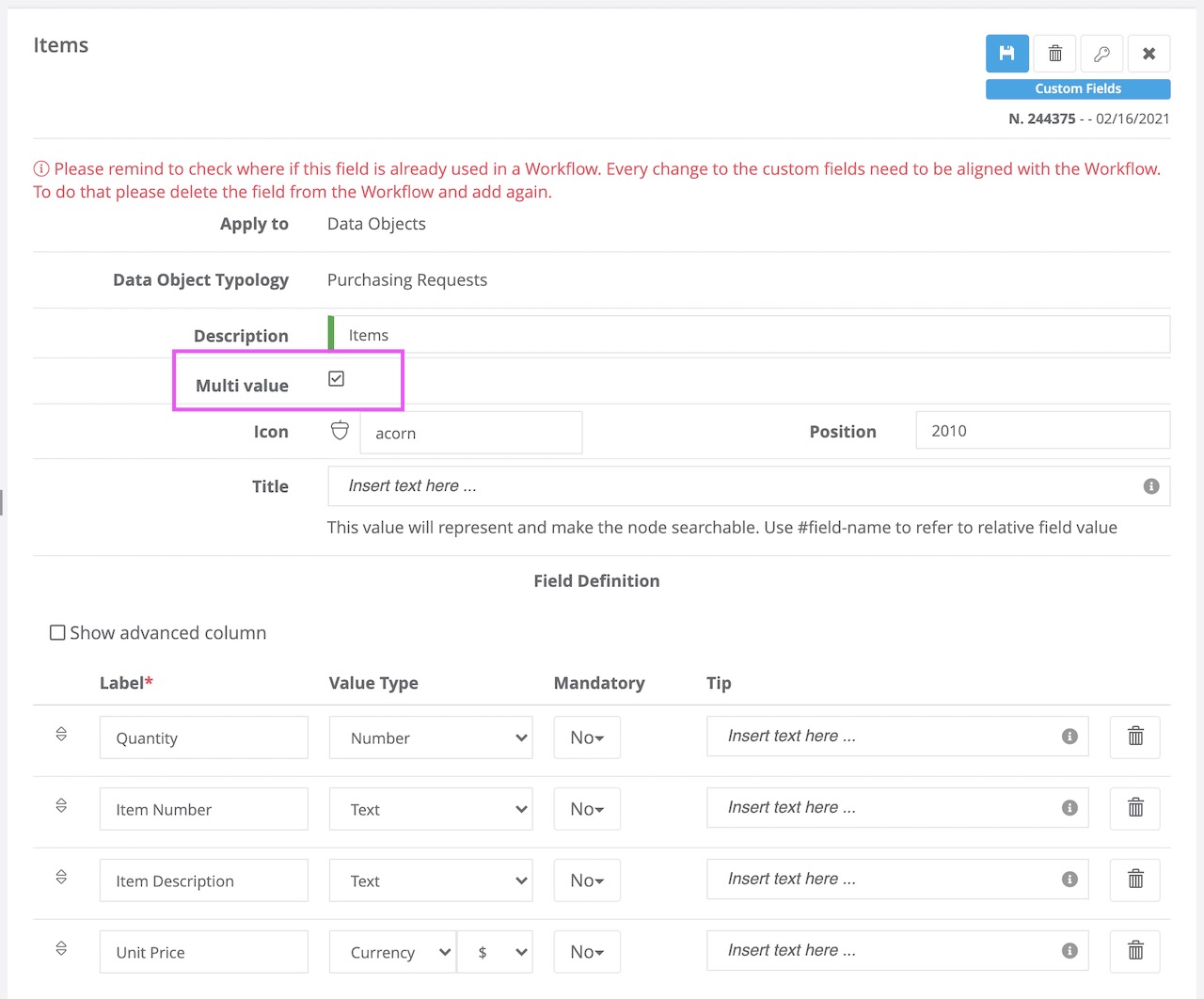
Virtus Flow allows you to create custom fields with a multi-value option.
As described by this image you can choose single-value field or multi-value fields.
When do you need multi-value fields?
The goal is to create Repeatable Sections adding your forms and workflows of recursive options.
A standard example is a Purchasing Workflow where you have a list of items and quantities that is variable. You don't always know how many rows you need so you want to create a dynamic section with, potentially, unlimited rows.
To work with dynamic sections you need to setup your Data Objects as a "Multi-Value".
For more information on how to use these fields as part of Child Workflows please visit this KB.
Comments
0 comments
Article is closed for comments.