
Distribution Lists are a vital part of Project Management, making sure everyone gets the information they need to carry out their job effectively.
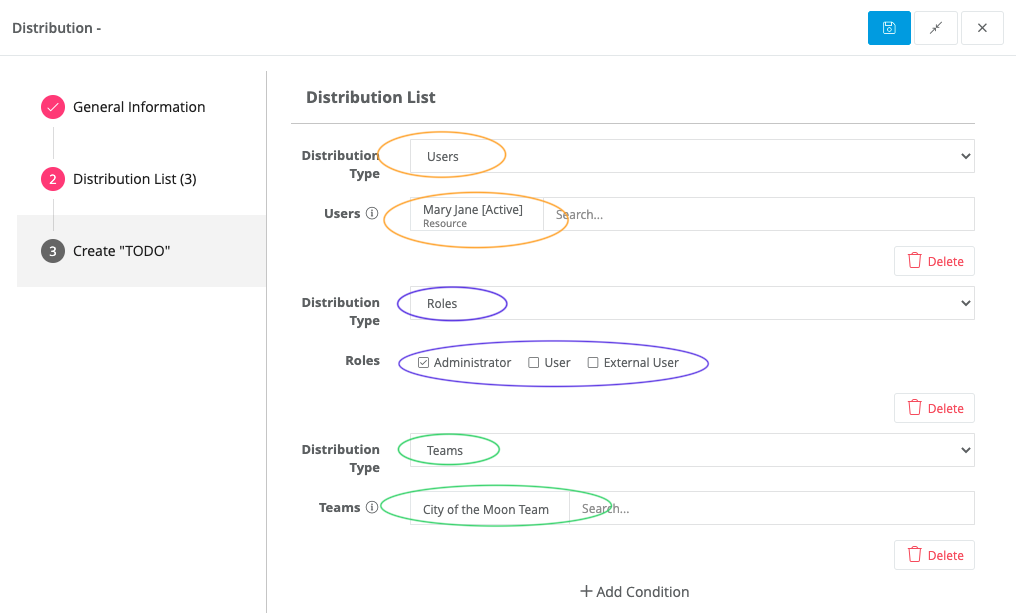
Here you will see how to specify who can view or write, separate by role or by specific user, and if you want to schedule reminders you can create a TODO.
| NOTE: If you don't see a section titled Distribution in your process, please check that the Starting Point box is checked in the Advanced Settings at the beginning of your workflow. If it isn't, please check the box (pictured below) and save. It will appear when the page is refreshed. |

To view a step-by-step of this process, please view the following video:
These steps are located in the Workflows> Builder inside each process.
Users- Allows you to choose specific users by using the search
Roles - Allows you to determine the user's category, Administrator, User, or External User (all need to be Virtus Flow's licensed users except if publishing as a public page, or be identified as External Users)
Teams- Allow you to distribute to an entire team instead of just individuals (to view more information on how to create a team, visit this page)
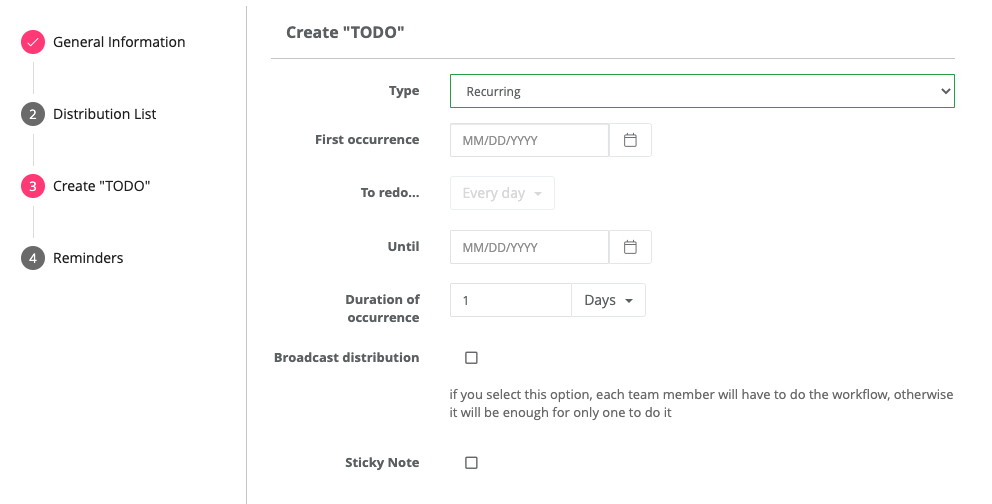
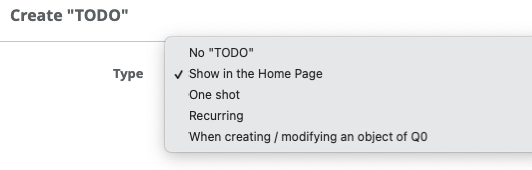
Create TODO- Allows you to schedule reminders for recurring processes for you or your team. You can also have workflows pinned in the Home Page for easy access.
Verifiers - Allow you to determine who can see the overall progress. These users are, in general, managers and supervisors. These users are not entitled to execute processes, only to track the status.

Comments
0 comments
Article is closed for comments.