
How to customize Virtus Flow Admin Setup
The first step is to customize Virtus Flow tables to familiarize yourself with the platform's structure.
Everything that you need to know about Virtus Flow user customization is here.
Access the Setup page from the left menu - gear icon.
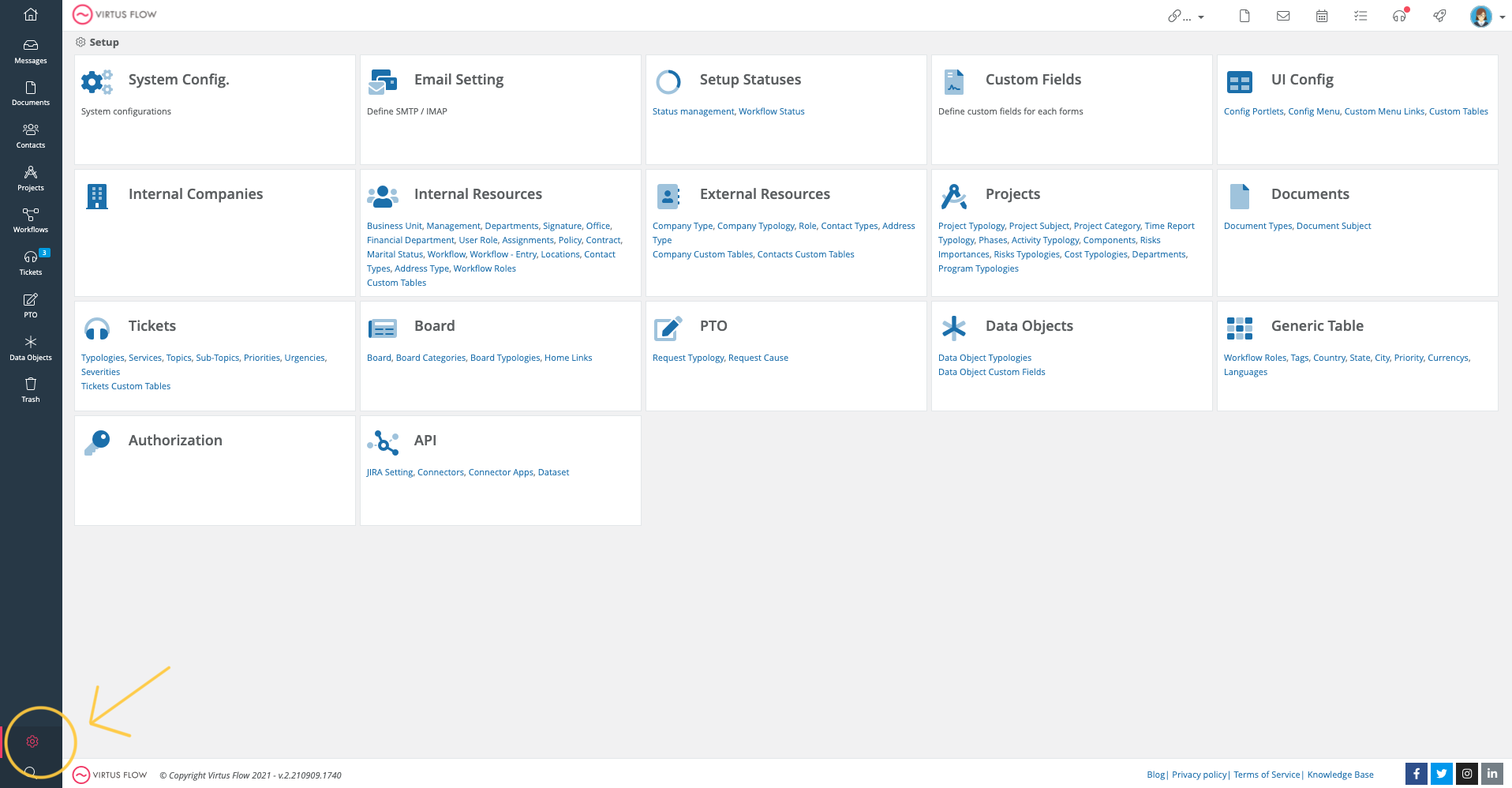
You now have access to all Virtus Flow's configuration tables!
We suggest you follow the following sequence (but you can jump the tables that you don't need for your configuration). Keep in mind, we pre-set many of these options for you before giving you access; but feel free to delete all the examples that are not relevant.
Suggested order:
1. System Configuration
2. Email Settings
3. Internal Companies
4.Internal Resources
5. External Resources
6. Projects
7. Documents
8. Tickets
Please watch the following video to learn more:
Comments
0 comments
Article is closed for comments.